
▶ click & input 이벤트 실습
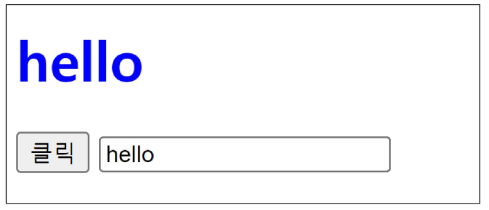
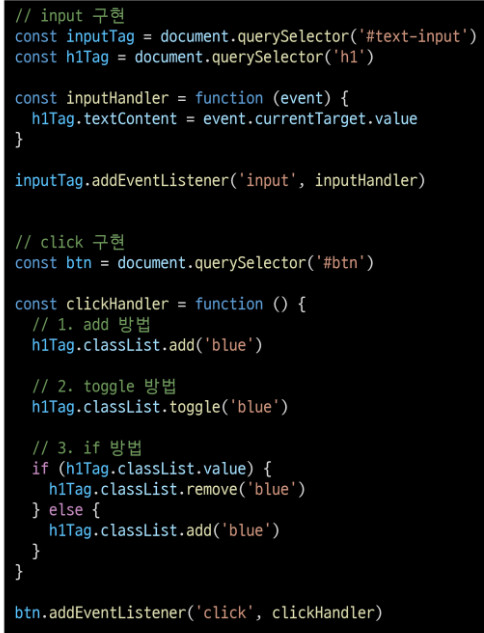
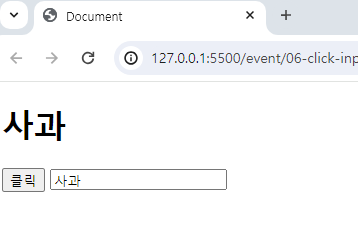
사용자의 입력 값을 실시간을 출력한다
'+' 버튼을 클릭하면, 출력한 값의 CSS 스타일을 변경할 수 있다.

더보기
<!DOCTYPE html>
<html lang="en">

<head>
  <meta charset="UTF-8">
  <meta name="viewport" content="width=device-width, initial-scale=1.0">
  <title>Document</title>
  <style>
    .blue {
      color: blue;
    }
  </style>
</head>

<body>
  <h1></h1>
  <button id="btn">클릭</button>
  <input type="text" id="text-input">

  <script>
    // 1. input, h1 및 버튼 태그 선택
    const inputTag = document.querySelector('#text-input')
    const h1Tag = document.querySelector('h1')
    const btn = document.querySelector('#btn')

    // 2. input 이벤트에 반응하는 콜백함수
    const inputHandler = function (event) {
      h1Tag.textContent = event.currentTarget.value
    }

    // 4. 버튼에 클릭 이벤트에 반응하는 콜백함수
    const clickHandler = function (event) {
      // 4.1 선택해둔 h1 태그의 클래스 목록에 blue 클래스를 추가
      // h1Tag.classList.add('blue')

      // toggle 방법
      h1Tag.classList.toggle('blue')
    }

    // 3. input 태그에 이벤트 핸들러 부착
    inputTag.addEventListener('input', inputHandler)

    // 5. 버튼 태그에 이벤트 핸들러 부착
    btn.addEventListener('click', clickHandler)
  </script>
</body>

</html>
▶ 출력

'WEB > JavaScript' 카테고리의 다른 글
| [JavaScript][event handler 활용] 5. 로또 번호 생성기 실습 (0) | 2024.04.22 |
|---|---|
| [JavaScript][event handler 활용] 4. todo 실습 (0) | 2024.04.22 |
| [JavaScript][event handler 활용] 2. 사용자의 입력 값을 실시간으로 출력하기 (0) | 2024.04.22 |
| [JavaScript][event handler 활용] 1. 버튼을 클릭하면 숫자를 1씩 증가시키기 (0) | 2024.04.22 |
| [JavaScript][event handler 활용] 0. 목차 (0) | 2024.04.22 |